Free Passport Photo Maker Online
Create passport photos online for free. Upload a selfie, crop and format your photo, and create printable passport photo sheets for supported requirements. No registration, no fees, and no watermarks.
USA Passport
Awaiting JPG/PNG
Align head silhouette
Official backdrop swap
Single copy or 4x6" tiles
Photo Alignment Guidelines
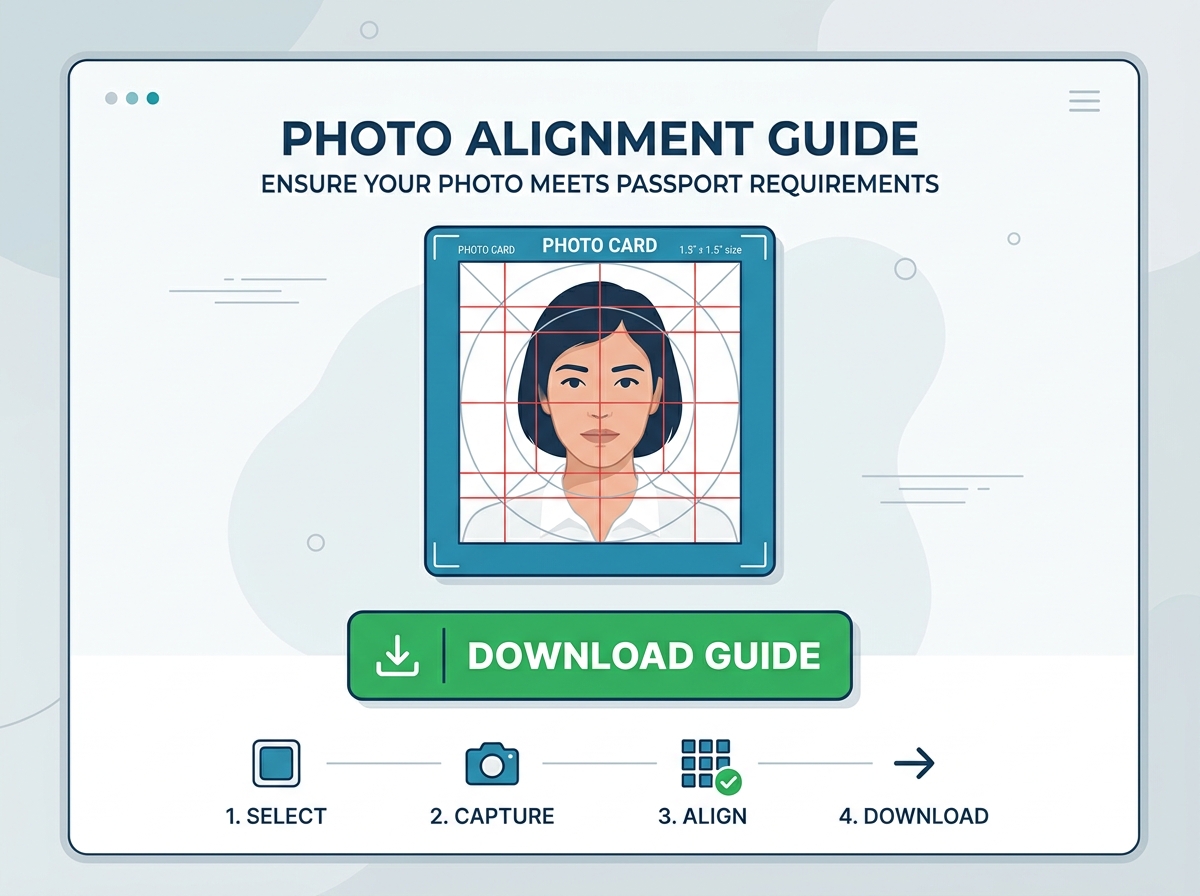
- Align your chin baseline on the lower horizontal silhouette band.
- Ensure the top of hair / crown coincides safely inside the top border.
- Center eyes symmetrically directly with horizontal lines.
- Keep neutral pose without smiling. Both ears should be visible if possible.
Upload Portrait Selfie
Drag & drop your photo copy here, or click to browse local files. Normal ambient lights and light grey/white background preferred.
Blueprint & Rulers Metric
Compliance format: USA Passport
Head must be 1 to 1 3/8 inches (25-35 mm) from the bottom of the chin to the top of the hair. Click the dashed guidelines on the model portrait avatar above to read precise metrics.
How to Take the Perfect Passport Photo
Consular rejection is usually caused by simple errors like wrong face level or background shadowing. Follow our official alignment recipe.
 01
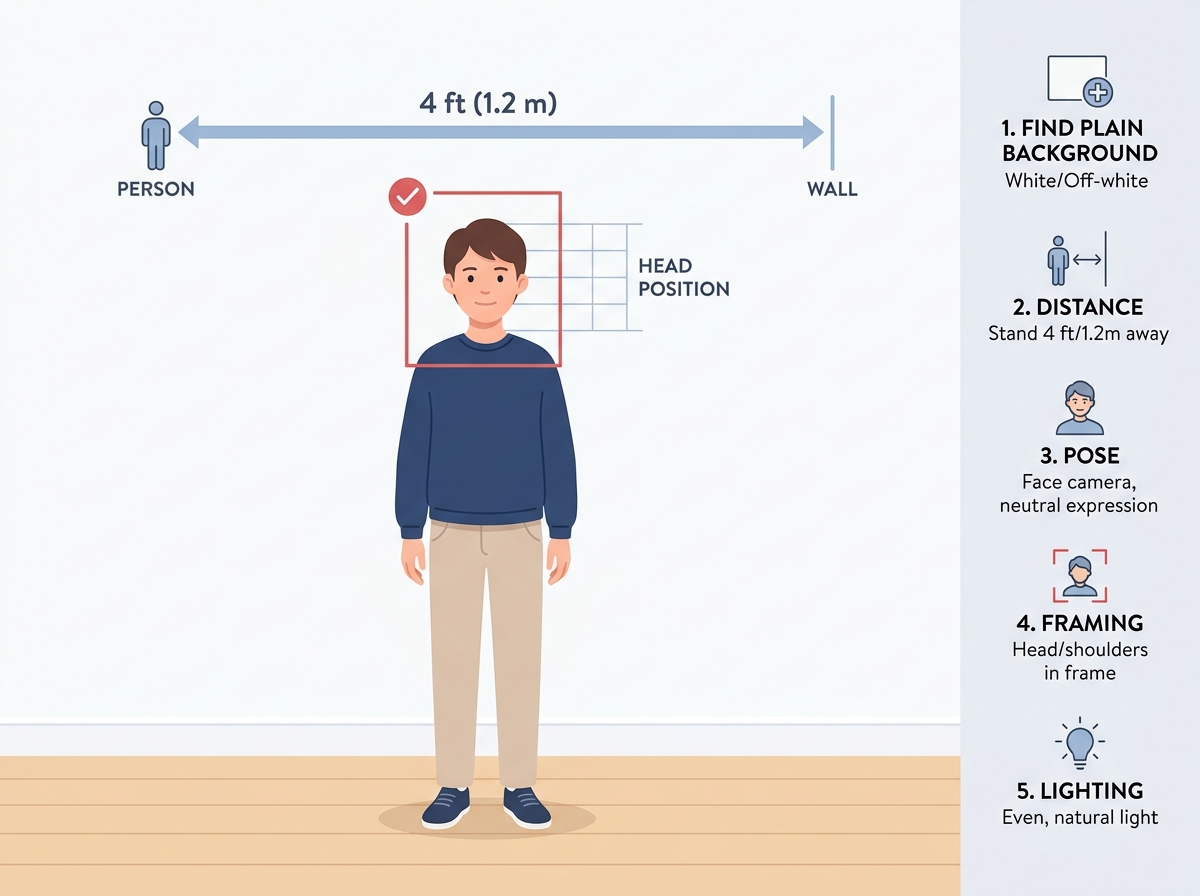
01Find Clean Wall
Stand 4 feet in front of any white, off-white, light gray or pastel colored wall to ensure clean shadows.
 02
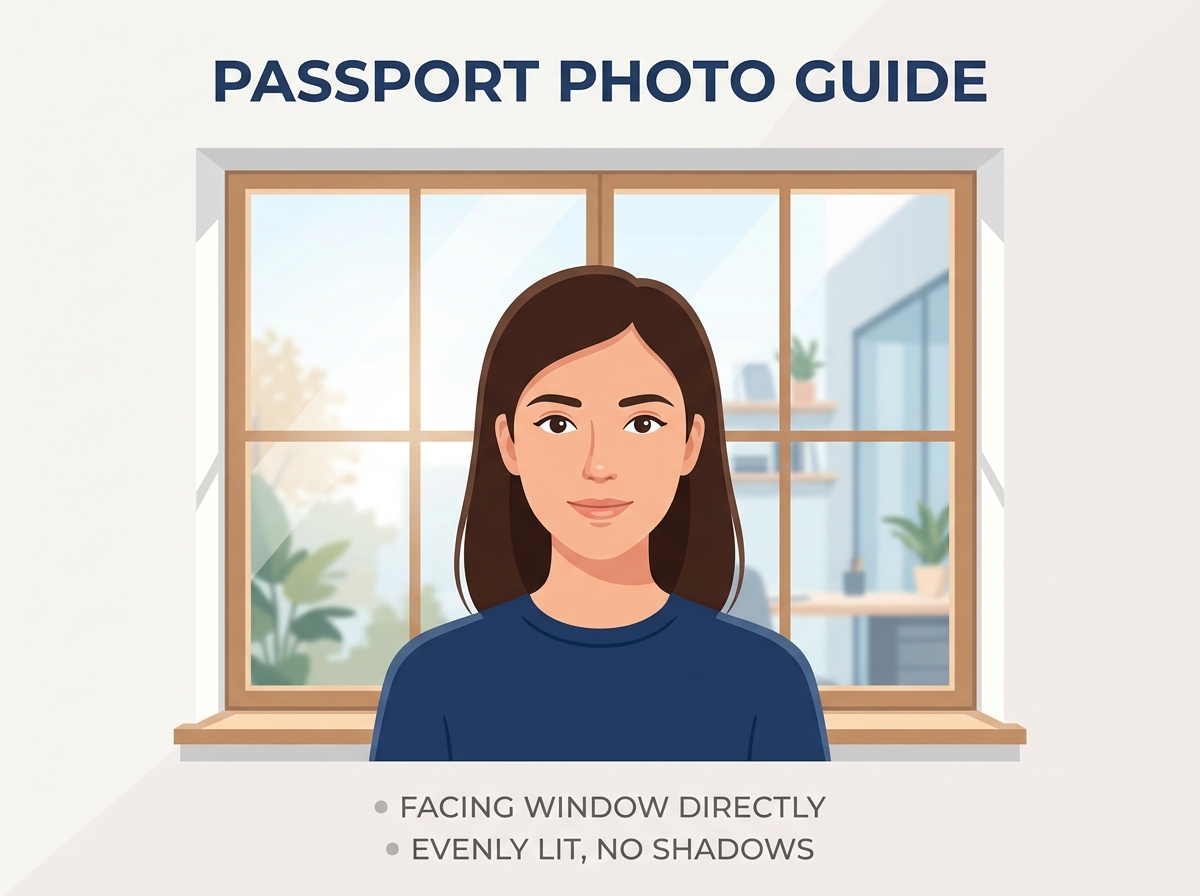
02Check Lighting
Face a wide window directly so daylight illuminates your face symmetrically, avoiding solid side-shadows.
 03
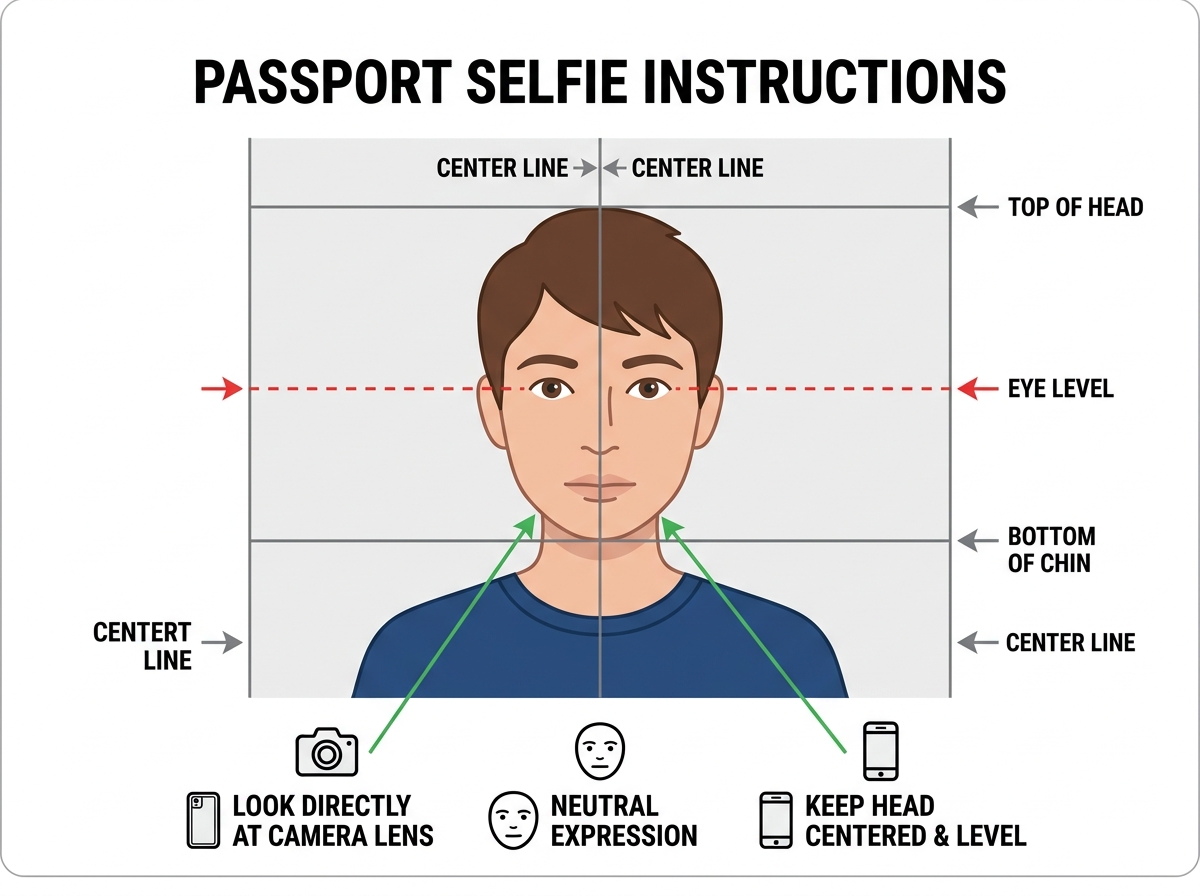
03Direct Face Shot
Look completely straight at the camera at eye-level with ears fully visible and a neutral expression.
 04
04Align & Download
Use our overlay sliders to line up your chin and hair crown, segment background, and save high-res!
Correct Practices (Dos)
- •Maintain a completely neutral mouth shape with both eyes fully open and gazing straight forward.
- •Keep your shoulders perfectly level and visible in the portrait frame.
- •Ensure your outer ears are clear of thick locks or stray hair overlaps.
- •Take a picture with high-resolution clarity and natural skin lighting filters.
Common Mistakes to Avoid (Don'ts)
- •No Glasses: Prescription glasses, tints, or sunglasses are strictly banned by US and major state departments.
- •No Headgear: Headwear, activewear caps, or headbands are rejected unless worn continuously for religious beliefs.
- •No Smiles: Smiling so teeth are visible alters facial geometry and may cause the photo to fail passport requirements.
- •No Heavy Cast Shadows: Flash light sources against backgrounds cause thick halos that consular inspectors flag immediately.
Official Country Passport Photo Specifications
Click any country to view official consular dimensions, background rules, and launch the pre-configured editor.
United States
51 x 51 mmThe United States Department of State requires all passport and visa (DS-160) applicant photographs to strictly adhere to the 2x2 inch (51x51 mm) square format. Your head must measure between 1 inch and 1 3/8 inches from the bottom of your chin to the top of your head.
United Kingdom
35 x 45 mmHM Passport Office requires printed photos to be exactly 35mm wide by 45mm high. The distance from the bottom of your chin to the top of your head must be between 29mm and 34mm. A plain, light grey or cream background is required.
Canada
50 x 70 mmCanadian passport photo specifications are distinct from US and UK requirements: photos must measure 50mm wide by 70mm high, with a face height between 31mm and 36mm. Printed applications require guarantor and date certification on the back of one photo.
Australia
35 x 45 mmThe Australian Passport Office enforces strict biometric rules. Photos must measure 35mm to 40mm wide by 45mm to 50mm high (standard 35x45mm is used). Glasses cannot be worn under any circumstances, and the head must measure 32mm to 36mm from chin to crown.
India
50.8 x 50.8 mm (2 x 2 inches)Passport Seva and the Ministry of External Affairs require 2x2 inch (51x51mm) photos for standard passport renewal, OCI (Overseas Citizen of India), and Indian Visa applications. The face must cover 70% to 80% of the photograph on a clean white background.
Germany (Deutschland)
35 x 45 mmGerman passport authorities (Bürgeramt) enforce strict biometric photo standards (Biometrisches Passbild according to the official Passbild-Schablone). The photo must be 35x45mm, with the face height strictly between 32mm and 36mm and a uniform, neutral light grey background.
France
35 x 45 mmThe French administration (ANTS / Mairie) has one very specific and crucial rule: pure white backgrounds are strictly forbidden and will cause rejection. Photos must have a plain light grey or light blue background, measure 35x45mm, and have a head height between 32mm and 36mm.
Schengen Area (EU)
35 x 45 mmWhile the 29 Schengen member countries share standardized 35x45mm biometric guidelines (face height between 32mm and 36mm on a light, neutral background), specific submission guidelines can depend on the individual member-state authority or visa application center processing your application.
Free Passport & Visa Photo Tools
Targeted utilities designed for specific photo preparation workflows.
Free Passport Photo Maker Online
Free online passport photo maker. Turn any smartphone selfie into a compliant passport, visa, or ID photo with automatic cropping and 4x6 print grids.
100% Free Passport Photo Maker (No Watermarks)
Free passport photo maker with no watermarks and no hidden fees. Convert selfies into official 2x2 and 35x45mm passport photos with 4x6 printable sheets.
Convert Any Smartphone Selfie Into a Passport Photo
Convert a smartphone selfie into an official passport photo online. Automatic dimension alignment, background cleaning, and 4x6 print templates.
Passport Photo Resizer & Cropper Online
Free passport photo resizer. Crop and resize any image to 2x2 inches (51x51mm), 35x45mm, 50x70mm at 300 DPI for US, UK, Canada, and global passports.
Passport Photo Background Remover & Color Changer
Remove and replace passport photo backgrounds online. Change busy wall colors to official white, off-white, light grey, or cream for passport compliance.
4x6 Passport Photo Sheet Maker (Print for $0.35)
Generate a 4x6 inch passport photo printable sheet. Fit multiple 2x2" or 35x45mm photos onto a 4x6 template to print for under $0.40 at any pharmacy.
Printable Passport Photos (4x6, 5x7 & A4 Sheets)
Create printable passport photos at home or pharmacy kiosks. Formats 4x6, 5x7, and A4 sheets with exact biometric millimeter scaling and cutting guides.
Passport Photo Guides & Printing Hacks
How to Take a Passport Photo at Home with Your Phone
Taking your own passport photo at home can save you $20 and a trip to the pharmacy. With proper lighting, a clean wall, and your smartphone camera, you can produce a consular-compliant portrait in minutes.
Global Passport Photo Size Guide: Official Dimensions by Country
Submitting the wrong photo size is the fastest way to get your passport application rejected. Here is a definitive guide to official passport photo dimensions, head height percentages, and pixel requirements across major global destinations.
How to Print Passport Photos for Under 50 Cents
Pharmacies and shipping stores charge $15 to $20 to take and print two passport photos. By tiling your photos onto a 4x6 inch sheet with FreshPassPhoto, you can order a standard 4x6 print at the same store for roughly 35 cents.
Frequently Asked Questions
Learn more about biometric compliance, layout dimensions, print specifications, and color profiles before generating.
Need Help Setting Up Your Photo?
We recommend taking your picture standing 4 feet away against any neutral wall with uniform window light facing your front. This prevents side-shadows which are the principal cause of rejection. Adjust contrast sliders inside our tool after uploading to brighten up dark colors.
FreshPassPhoto is an independent digital tool designed to align personal photos with official passport dimensions. We are not affiliated with, endorsed by, or representing any government agency. Image processing operates entirely in your web browser memory. Always confirm latest requirements with your official issuing authority.